CHOOSE YOUR CONTROL STYLE
Remote control egg vibrators:
handset, App or both?
Compare W4, W2 and W3 by their listed controls, power details and the questions to resolve before choosing. Start with how you want to operate the product.
The main difference is the control route.
Our shortlist gives you three starting points: W4 with a handheld remote, W2 with source-listed App control and a body button, and W3 with source-listed App and handheld remote controls. The egg-style naming describes a product profile; it does not establish the same fit, dimensions or operation across models.
This is a product-record comparison, not a hands-on test. We have not independently verified control range, phone compatibility, noise, runtime or continued App service for these products.
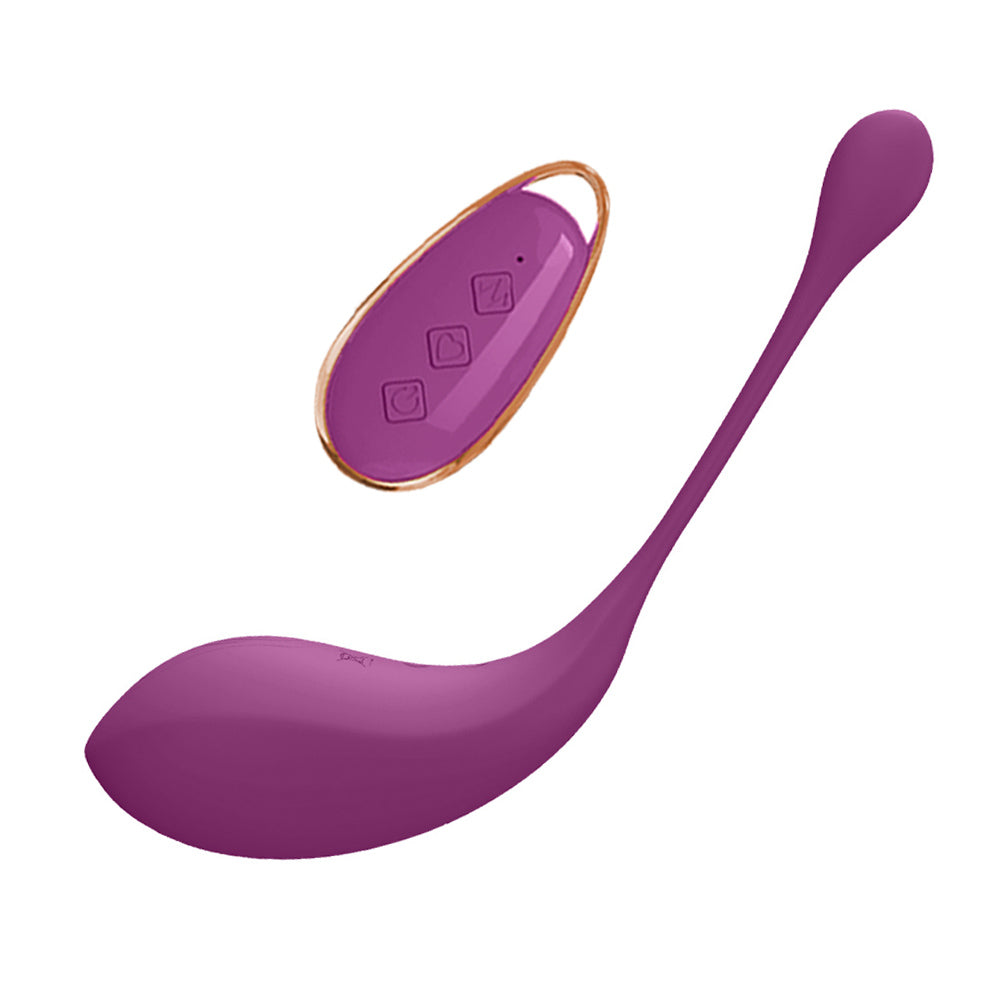
W4 · Handheld remote
A curved egg-style body and a separate controller are listed. No App feature is asserted for W4.
Source product reference · Purple. The reference does not confirm supplied accessories, control distance or current stock.View W4 details ↗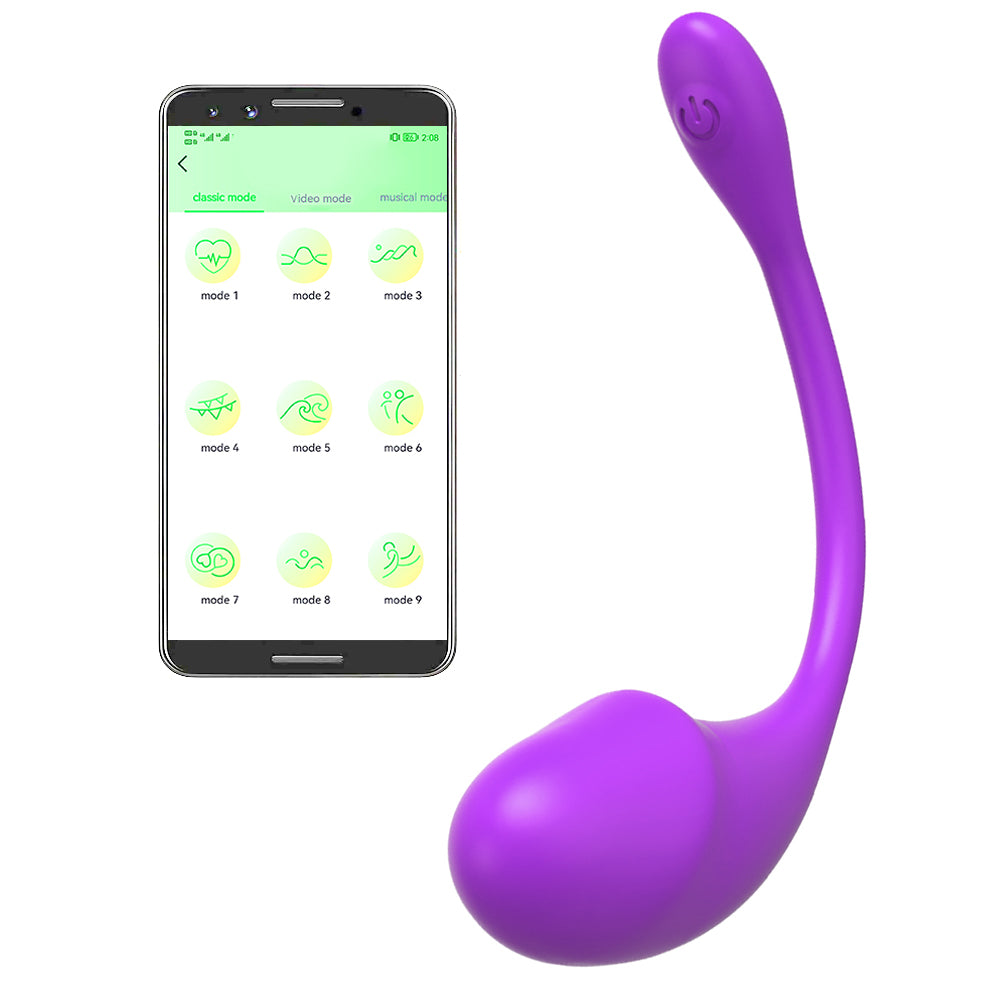
W2 · App + body button
The source lists Bluetooth, App control and an on-device button as another control route.
Source product reference · Purple. The phone and App screen are illustrative; a phone is not included. Current App appearance and support remain unconfirmed.View W2 details ↗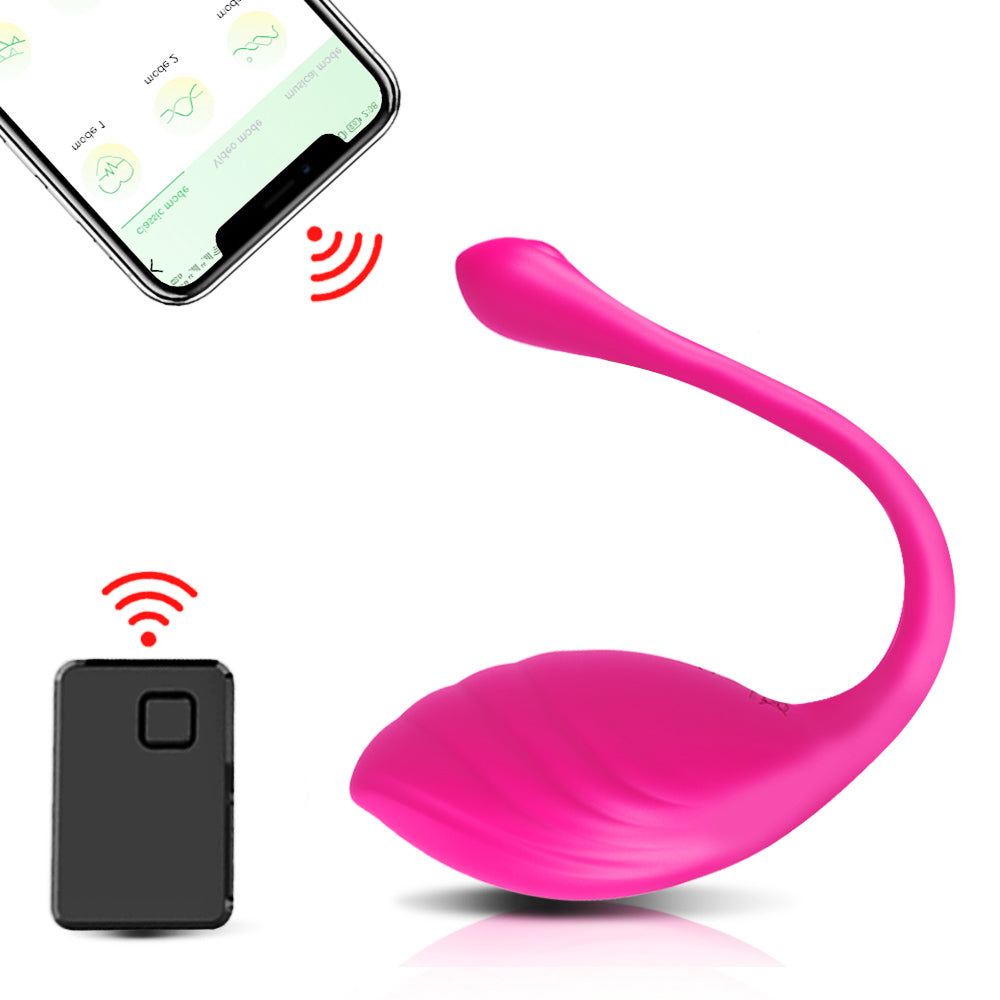
W3 · App + handheld remote
Both control methods and nine vibration settings appear in the source description.
Source reference graphic · Red. The pictured phone is not included. Confirm the supplied remote, battery and current App support; wireless symbols do not establish range.View W3 details ↗Images use equal display frames, not a common physical scale. Colours shown are labelled separately from the available choices.
W4, W2 and W3 at a glance.
Compare the source-listed features first. An unconfirmed entry means we need the supplied model’s specification or instructions, rather than a guess based on its appearance.
| Model | Control route listed | Power and key checks |
|---|---|---|
| W4 | Separate handheld remote. No App feature asserted. | Body: USB rechargeable. Remote: button battery listed; type and inclusion unconfirmed. Confirm pairing and working range. |
| W2 | App over source-listed Bluetooth, plus an on-device button. | Charging specification unconfirmed. Confirm the current official App, supported phone, pairing and button operation. |
| W3 | App and handheld remote; nine vibration settings source-listed. | Charging and remote battery specification unconfirmed. Confirm both control routes and the actual box contents. |
All three list Purple and Red choices. This article shows W4 and W2 in Purple, and W3 in Red. Confirm exact dimensions, material, fit, operating limits and cleaning instructions for the selected model.
Explore the models in this comparison.
W4 Remote-Controlled Egg Vibrator
Check the listed options and specifications.
View product details ↗Ask about this model ↗W2 App-Controlled Wearable Egg Vibrator
Check the listed options and specifications.
View product details ↗Ask about this model ↗W3 Wearable Vibrator with App & Remote Control
Check the listed options and specifications.
View product details ↗Ask about this model ↗A handheld remote and an App are different questions.
A separate remote is a physical controller. For W4, confirm its battery, pairing procedure, practical working range and what happens if the connection is interrupted. The presence of a wireless remote does not establish internet access or operation from another city.
W2’s source names Bluetooth and the Love Spouse App. W3’s source also names Love Spouse and lists a separate remote. These are source descriptions, not verification that a particular phone, App version or partner feature is supported today. Request the current official App-store listing and model-specific instructions before relying on an App function.
Keep the device-to-phone link separate from any App-based partner service. A Bluetooth label or phone graphic does not establish an internet partner feature. For any claimed partner control, confirm whether the current service supports it, what each person needs and how access is accepted and stopped. No long-distance service is guaranteed for W2 or W3 here.
For an App option, review the current permissions, account requirements and privacy information before deciding. Screenshots on a source image are not an up-to-date setup guide. We do not reproduce old pairing codes or treat a pictured phone as a supplied accessory.
Which control style should you compare first?
Start with W4 for a dedicated controller.
If you want to investigate handheld remote operation without a listed App requirement, begin with W4. Its body is source-listed as USB rechargeable, while the remote uses a button battery. Confirm the battery type, inclusion and operating sequence for the actual supplied set.
Explore W4 ↗Compare W2 for the listed App and body button.
W2 is the relevant starting point if those are the control routes you want to inspect. Confirm current phone support and what the body button can do without the App. A separate handheld remote is not established in W2’s current product record.
Explore W2 ↗Compare W3 if you want to investigate both.
W3 lists App and handheld remote control. Confirm how each route works, whether they can be switched between, and whether the remote and battery are included. Nine listed settings do not establish nine intensity levels, independent adjustment or stronger output.
Explore W3 ↗More listed control methods do not automatically make a product easier to operate. Choose the route you want to investigate, then compare verified instructions and the actual supplied configuration.
W4 vs W2 vs W3: reference prices and colours
In our catalogue, W4 and W2 are each $32.99 USD; W3 is $38.99 USD. Each model lists Purple and Red at the same reference price within that model. These values come from the source records observed on 15 October 2026, rather than a confirmed delivered quote or our warehouse stock.
- W4: compare its listed handheld controller and USB-rechargeable body if a dedicated remote is your priority.
- W2: compare its source-listed App and body-button controls. A separate handheld remote is not established for this model.
- W3: compare its source-listed App and handheld control options. Its higher reference price does not prove better range, stronger output or broader phone support.
For a usable quote, specify the model, colour, quantity and destination country. Ask for the supplied accessories, actual availability and delivery cost to be confirmed together. Current payment arrangements also need confirmation before ordering.
App-controlled egg vibrator: which phone will work?
W2 and W3 name Love Spouse in the archived source descriptions. That name alone does not establish the current official download, supported phone versions or continuing service. No phone operating-system version is verified for these models here.
- Identify the exact software: request the official store link, publisher name and current instructions for your exact W2 or W3 version.
- Check your phone: give its model and operating-system version, then ask for explicit compatibility confirmation.
- Clarify local and partner control separately: ask whether another person's control is supported by the current service, what each person needs, and whether an account or recurring charge applies.
- Check access choices: request the current permission and privacy information, including how control is accepted and stopped. Old pairing codes and reference phone screens are not current setup instructions.
If buying specifically for another city or country, ask for that intended use to be confirmed before choosing. A handheld remote or a Bluetooth label does not establish an internet partner-control service.
Rechargeable egg vs remote battery: check both power supplies
W4: the source lists a USB-rechargeable vibrator body and a button-battery handheld remote. It also names a USB charging cable among the contents. The remote's battery type and whether it is supplied remain unconfirmed; the body's charging label does not mean the remote is rechargeable.
W2 and W3: our reviewed records do not establish their exact charging specifications. W3's listed handheld remote also needs its own power and inclusion check. Do not transfer W4's USB or battery details to either model.
Before ordering, request a model-specific list of the body, controller if applicable, charging lead, any power adapter, batteries and instructions. Ask for documented charging requirements and runtime; no common cable compatibility, charge time or tested runtime is promised here.
Can you buy a replacement remote for W4 or W3?
Replacement-controller availability and cross-model compatibility are not established in our records. Similar-looking remotes, matching colours or the words “wireless remote” do not confirm compatibility. W2's listed App control does not establish a separately supplied handset.
When asking about a replacement, give the exact model and version, plus any identification on the original controller. Request confirmation that a replacement is available for that version, what is included and which official instructions apply. Check this before ordering a replacement or assuming the whole set must be replaced.
Ask about W4 pricing ↗Ask about W2 phone support ↗Ask about W3 accessories ↗
Five checks before ordering.
- Controls and connection. Confirm the remote or body-button sequence, pairing, operating limits and stopping procedure. Ask for the model’s documented working range; source wireless symbols are not range tests.
- Current App support. For W2 and W3, confirm the official App, supported phone and operating-system version, account or service requirements, permissions and any partner feature you need.
- Two possible power supplies. Confirm body charging, compatible cable and electrical ratings. Where a remote is supplied, verify its separate power requirements and battery inclusion.
- Measurements and care. Request exact dimensions, material, intended fit and manufacturer operating and cleaning limits. Egg-style or wearable naming does not establish universal fit, retention, water resistance or an exercise benefit.
- Contents, option and delivery. Confirm the selected colour, the supplied controller and accessories, our fulfilment availability, destination costs and timing. Reference pictures and source availability do not reserve our stock.
Product pages show reference prices in USD. Final price and delivery require confirmation. Saving a selection in the local bag does not place an order, and the contact form sends an enquiry by email.
Common remote-egg questions.
Does remote control mean control from another city?
No. A handheld wireless remote alone does not establish an internet connection. Any App partner feature needs separate confirmation for the current model and service. We do not guarantee long-distance operation for these products.
Does W4 require an App?
W4’s record lists a handheld controller; no App feature is asserted. Confirm the supplied remote, battery and instructions rather than assuming compatibility with an App used by another model.
Does W2 include a handheld remote?
That is not established in the current record. W2 lists App control and an on-device button. W3 separately lists App and handheld remote control; even for W3, confirm the actual supplied accessories.
Are the pictured phones and remote batteries included?
The phones shown for W2 and W3 are illustrative and are not included. Confirm remote inclusion, battery type, battery inclusion and charging accessories for each supplied configuration.
Which model is strongest, quietest or the best fit?
We have no independent output, noise or fit comparison for this shortlist. Mode counts, wearable wording and reference graphics do not establish those rankings. Use confirmed measurements and manufacturer instructions for the final decision.
Are all three egg vibrators USB rechargeable?
That is not established. W4 lists a USB-rechargeable body, with a separate button-battery remote. W2 and W3 charging specifications remain unconfirmed. Ask for the power requirements and supplied accessories of the exact model.
Will W2 or W3 work with my phone?
Current phone and operating-system compatibility is unverified. Provide your phone model and operating-system version, and request the current official App store link, publisher and explicit model support before ordering.
Can the same replacement remote control W4 and W3?
No cross-model compatibility is established. Ask for a replacement matched to the exact model and version, together with its battery requirements and official instructions.
Product records and scope.
This comparison uses the reviewed W4, W2 and W3 source records checked on 2026-10-15, 2026-10-15 and 2026-10-15. They are source observations, not independent tests, current App-service verification or confirmation of our stock. The linked product pages retain the reference information and outstanding specifications.
Compare the actual product details.
Start with your preferred control route, then check the model’s specification.
Compare another design
Explore a related buying guide if your shortlist includes a different shape or control route.